Advantages of a hospitality POS: efficiency, control, and more sales
Discover how a point of sale terminal transforms bars, restaurants, and cafes: speeds up service, controls inventory in real-time, and turns every ticket into data for better decisions.
In this article 8 sections
A well-chosen POS reduces order errors, speeds up payments, and gives you real control of your business. This is everything it provides.
What is a point of sale terminal (POS)?
A point of sale terminal, or POS, is much more than a modern cash register. It's the system that centralizes sales, payments, inventory, and customer data for your bar or restaurant into a single tool. Every order, every payment, and every product are automatically recorded.
A hospitality POS combines hardware and software. Hardware usually includes a touchscreen, a cash drawer, a ticket printer, and a card machine for card payments. The software is the true core: it manages everything from taking orders to financial reports, including communication with the kitchen.
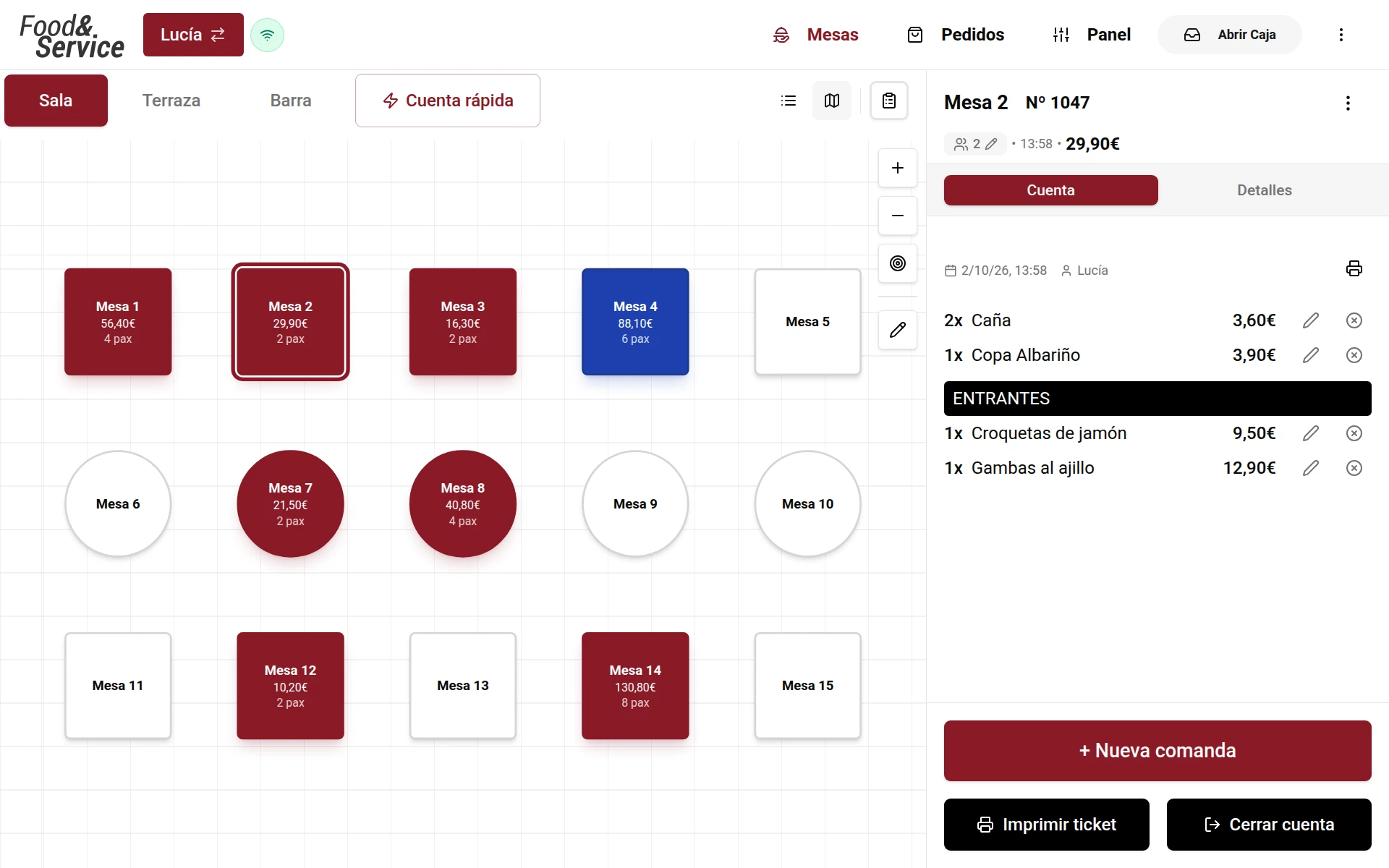
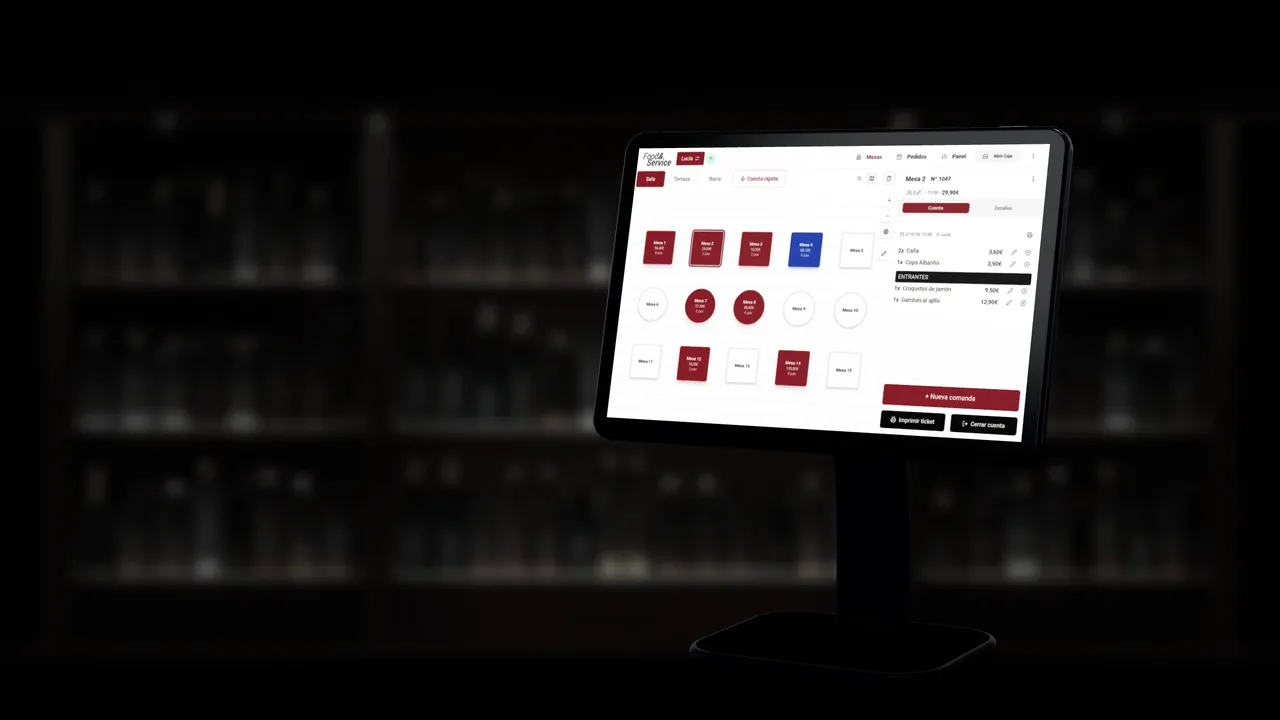
Unlike a traditional register, the POS speeds up orders, reduces human error, and connects the floor, kitchen, bar, and administration. Staff work faster and with fewer mistakes, and you get an accurate picture of what's happening in your business at every moment.
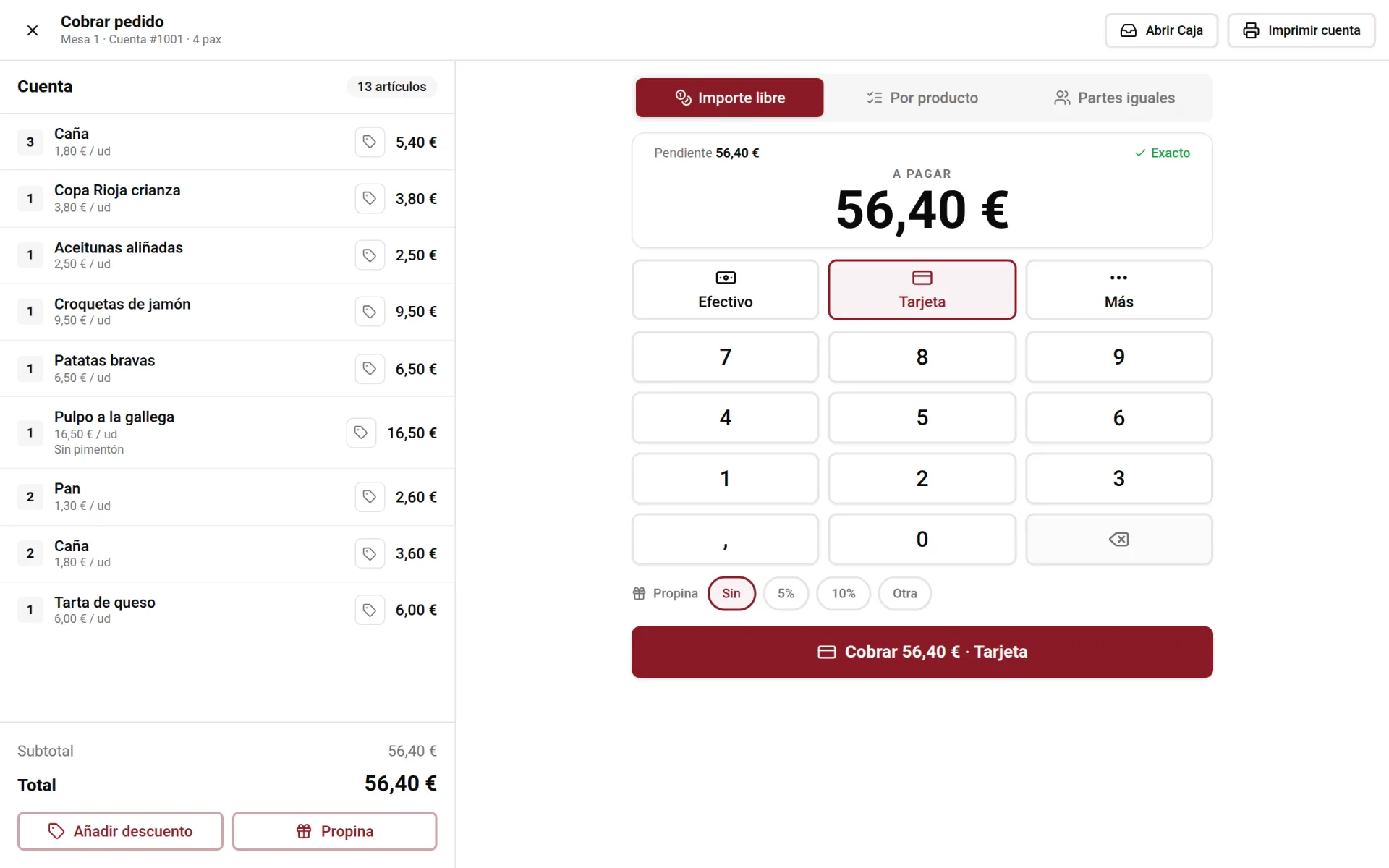
- Sales and payments. Fast, secure payments in cash or by card, also split between diners.
- Inventory control. Real-time stock tracking to avoid shortages.
- Reports and analysis. Sales and performance data to make sound decisions.
A POS is not an expense: it's the tool that turns your business's daily operations into useful information to earn more.
Hospitality POS · Digital Order Pad · Kitchen Display Screens
Key benefits of implementing a POS
Installing a POS doesn't just modernize your business: it directly impacts efficiency, costs, and customer satisfaction. These are the benefits you'll notice from day one.
Higher operational efficiency
By automating order taking and payments, common errors are eliminated and the time for each operation is reduced. Your team serves more customers in less time.
Inventory under control
Stock is updated with every sale. You know what sells, what's missing, and when to restock, avoiding both shortages and excess merchandise.
Better customer experience
Faster and more accurate orders, shorter waits, and promotions and loyalty built on each customer's record to keep them coming back.
Data-driven decisions
Sales reports, margins, and peak hours. You'll know which dishes perform best and can adjust menu, staff, and purchases with real information.
Promotions and marketing
Create predefined discounts and apply them with one tap at checkout, with no calculations or mistakes.
Flexible payments
Accept cards, mobile and split payments without complications. Agile payments that improve the experience and reduce queues.
How a POS optimizes your day-to-day
Beyond taking payments, a good POS simplifies almost all operative tasks of your local and connects them so nothing gets lost along the way.
Task automation
Stock updates, reports and sending orders to the kitchen happen automatically, and closing the till is a guided cash count with the closing report sent to your email. Less manual work and fewer errors.
Staff management
Record hours worked with clock-in and give each employee their own permissions and PIN. A clear record that makes labor compliance easier.
Real-time inventory
Each sale deducts from stock instantly. You detect deviations and waste fast and adjust your purchase orders with data.
Floor-kitchen communication
Orders go straight to the kitchen display screen (KDS) without paper or misunderstandings. Dishes come out sooner and in the right order.
Instant reports
Sales per day, week, or month; top-selling products; profitability. All information ready to analyze without losing time.
Features of a good POS software
Not all POS systems are equal. These are the functionalities that distinguish a system that truly drives your business from one that just takes payments.
- Intuitive interface
- Easy to use so that staff training is minimal. The simpler it is, the fewer errors and the more speed during peak hours.
- Customization
- Every business is different. The POS must adapt to your menu, rooms, rates, and way of working, not the other way around.
- Inventory management
- Precise stock control with low stock alerts and food costing to know the real cost of each dish.
- Reports and analytics
- Sales, productivity, and consumption data. The basis for making strategic decisions with substance.
- Integrations
- Connection with the digital menu, reservations, delivery, accounting and payments. A connected ecosystem avoids double work.
- Security and compliance
- Data encryption, user access control and adaptation to current regulations (Anti-Fraud Law and VeriFactu), with its responsible declaration.
How to choose the right POS for your business
Instead of comparing brands blindly, evaluate these objective criteria. They will help you choose a POS that fits your operations today and grows with you tomorrow.
Fixed or mobile
A fixed POS is robust for a central payment point; a mobile handheld speeds up table service. The ideal is usually to combine both.
In the cloud
A cloud POS lets you consult and manage your business from anywhere, with automatic backups and effortless updates.
Integrations
Check that it connects with what you already use or will use: digital menu, reservations, delivery, accounting, and payment methods.
Legal compliance
Make sure it complies with the Anti-Fraud Law, is adapted to VeriFactu and has its responsible declaration. Buying a non-compliant system is a risk you pay dearly for.
Scalability
If you open a second location or add terminals, the system must grow with you without traumatic migrations or hidden costs.
Support and training
Close and fast support is key: a crash during peak hour costs money. Value schedule, language, and response times.
Purchase or subscription
- Purchase or ownership
- You pay for the equipment once. It implies a higher initial investment but without recurring hardware fees. Useful if looking to amortize long-term.
- Cloud subscription
- Periodic fee that includes software, updates, and support. Low initial investment and system always up to date, ideal for starting without large outlays.
A POS pays for itself quickly: fewer errors, less waste, cash closures that are easier to balance and more sales thanks to faster service. Before deciding, do a realistic cost-benefit analysis and take advantage of demos to test it in your operations.
VeriFactu in hospitality: the new postponement to 2028 and what to do now · Pricing
POS for restaurants, bars, and cafes
There is no universal POS. Each type of establishment has its own needs, and the right system adapts to them to get the most out of it.
Restaurants
The focus is on table management and kitchen coordination for a smooth service.
- Table assignment and merging
- Direct orders to kitchen (KDS)
- Reservations linked to the floor plan
Bars
Speed is key: fast payments, bar agility, and simple handling during peak hours.
- Fast payment and split payments
- Agile interface designed for the bar
- Promotions and happy hour
Cafes
Customizable orders, high turnover, and loyalty to keep customers coming back.
- Products with variants and extras
- Loyalty programs
- Quick takeaway sales without opening a table
Restaurants · Bars · Coffee Shops
Integration with other systems and digital channels
A modern POS doesn't work in isolation. When it connects with the rest of your tools, the whole business flows and you stop duplicating tasks.
- Inventory
- Stock is updated with every sale and synchronized with your purchases.
- Accounting
- Your sales reach your accounting or your accountant without copying data by hand.
- Reservations
- Real-time table availability connected to the floor.
- Delivery
- Online and platform orders that go straight to the POS and kitchen.
Integrations · Inventory and Recipe Costing · Reservations · Delivery and Takeaway
POS trends and future
- Cloud POS. Remote management, automatic backups, and continuous updates. The cloud has become the industry standard.
- Payments and mobility. Mobile handhelds, payment at the table, and mobile payment. Service moves closer to the customer and reduces waits.
- Artificial intelligence. A trend in the industry: demand forecasting, consumption analysis and automatic recommendations to adjust the menu, purchasing and staffing.
What results does a POS provide?
Beyond specific cases, these are the effects that point-of-sale digitalization usually has on a well-managed hospitality business.
- Fewer queues. Faster payments and orders during peak hours
- Less waste. Inventory control that reduces losses and shrinkage
- More control. Decisions with real data instead of intuition