+34 644 99 01 34Free demo

Glovo, inside your POS.

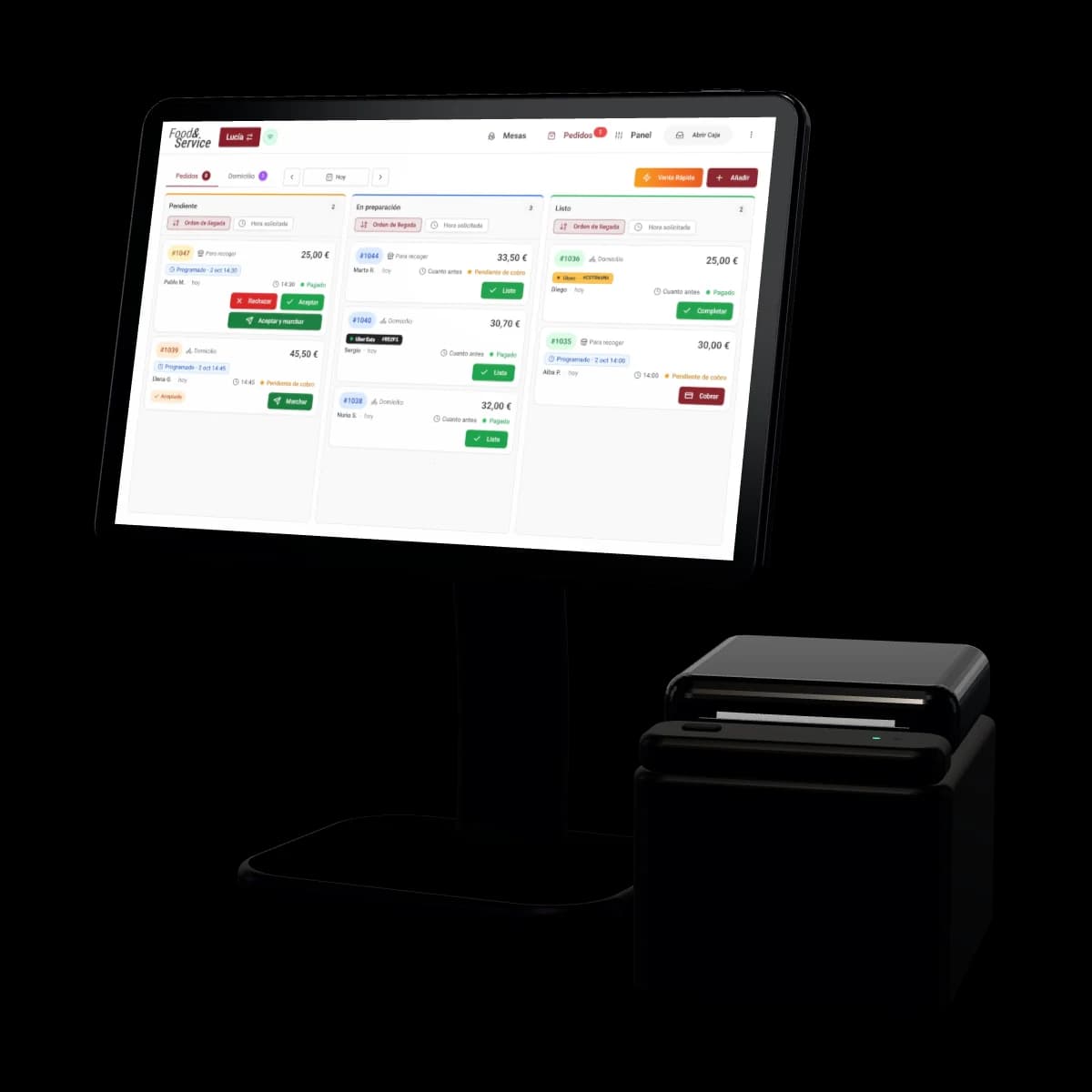
Glovo orders drop straight into your POS and, with one tap, go to the kitchen like any other ticket.

Book a free demo5.0+100 Google reviews

What you need, before you ask.

  • Your Glovo storewith the account you already have
  • Your ticket printeror the kitchen display
  • Your price, in the demofinal, no strings attached
  • Set up by our teamwe leave it up and running
  • No lock-inlike all of Food&Service

A Glovo order, in three taps.

From the alert to the courier, this is how it goes through your POS without anyone typing it in again.

You accept it and it goes to the kitchen.

It arrives with the delivery alert, the Glovo tag and its code, the one the courier will ask you for. One tap sends it to the kitchen printer or screen, the ticket shows the code and any allergies the customer noted, and Glovo knows straight away that you’ve accepted it.

You stop paying separately forDelivery integrator

Run out of something? Change the order.

Remove, swap or add items without cancelling it. Glovo allows one change per order, before you mark it Ready.

Paying in cash? The courier pays you.

The order arrives unpaid and the Glovo courier pays you when picking it up. You take the payment on the POS and complete it, like any other.

Your Glovo menu, from the POS.

You create a Glovo-only menu from your own, with the dishes you want to sell there, their photos, extras and combos, and publish it from the POS.

Your Glovo prices, dine-in prices untouched.

Raise them by a percentage or a fixed amount without changing your dine-in or online shop prices. Change a price, a photo or a dish name and Glovo catches up by itself.

Sold out in the kitchen, sold out on Glovo.

When you mark a dish as sold out, or your inventory runs out of what it takes to make it, it can no longer be ordered on Glovo, and it comes back by itself when you restock. What you sell on Glovo deducts its recipe from stock, just like dine-in.

See inventory

Glovo adds up at the till too.

Glovo orders have their own payment method: they don’t mix with the cash or card in your till, because Glovo settles them with you.

  • Sales by channelin Analytics: your own, Uber Eats and Glovo
  • Simplified invoicefor every completed order, with VeriFactu or TicketBAI
  • All in Excelinvoices and payments, for your accountant

Getting Glovo on your POS is just asking.

  1. Book your demo and we give you your price.

  2. We set up your POS and connect your Glovo store.

  3. You publish your Glovo menu and the orders start coming in.

Already using Food&Service? Request it from Features, on the Glovo card, and our team will get it running.

Uber Eats comes into the same POS too, and so does your online shop, for pickup and delivery. Just Eat, coming soon.

Glovo, in your POS. The rest can go.

  • The Glovo tablet on the bar
  • Typing every order in again
  • Reconciling Glovo separately in Excel

What you no longer need.

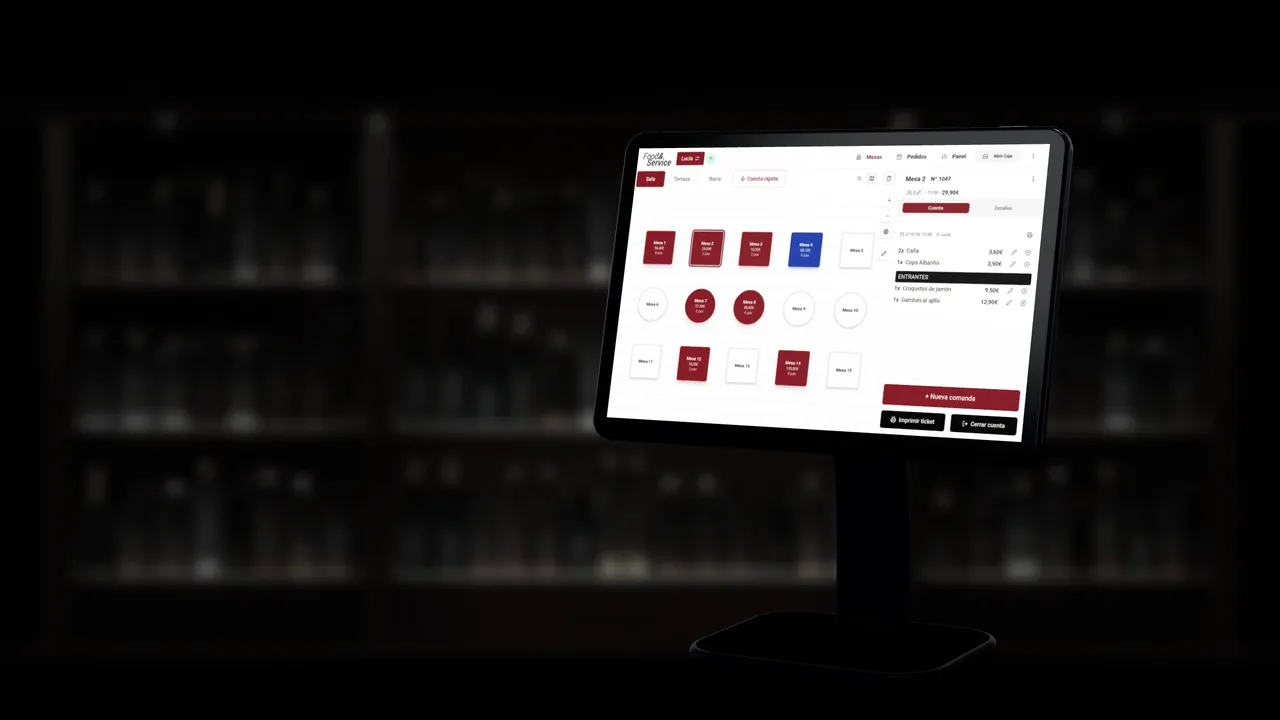
Glovo orders are accepted, sent to the kitchen and paid for in the same system you run the floor, the kitchen and the till with.

Book a free demo

Hundreds of venues already trust us.

5.0+100 reviews on Google
Watch the story
Denis, from Cafetería Aretha

La plataforma de FYS TPV funciona muy bien: es clara, práctica y bastante completa. Además, el equipo de atención al cliente responde rápido y siempre con muy buena disposición. Muy satisfecha con el servicio.

Ristorante da Monicaon Google
  • Adrián Pintor

    Después de varios meses con ellos, todo funciona muy bien. El software es sencillo de usar, intuitivo, y si alguna vez he tenido alguna duda, han estado ahí para resolverla. Los recomiendo.

  • Ely Torrejon

    Programa muy rápido y fácil de gestionar, con todos los servicios. Los chicos te atienden muy rápido para cualquier duda, llaman enseguida. Muy recomendable.

  • Gastro In Situ

    Al equipo de FOOD&SERVICE agradecerles el apoyo y ayuda que he estado recibiendo estos días. Le he dado un vuelco total al sistema y es de muchísima ayuda.

  • Jhosep Mejia delgado

    Excelente experiencia con FoodyService. Desde el primer momento, el trato ha sido profesional, cercano y muy atento. Destaco especialmente la rapidez, la buena comunicación y la disposición para resolver cualquier duda o incidencia. Da gusto trabajar con una empresa que se preocupa de verdad por ofrecer un buen servicio y facilitar las cosas al cliente. Totalmente recomendables. ¡Muchas gracias por vuestra atención y profesionalidad!

  • San Basilio

    Excelente experiencia con FoodyService. Es una plataforma muy completa, intuitiva y fácil de gestionar. La atención y el soporte técnico han sido rápidos, cercanos y muy resolutivos. Nos ha permitido modernizar la carta y mejorar notablemente la presentación de nuestros productos. Sin duda, un servicio muy recomendable para cualquier negocio de hostelería. Lo recomiendo al 100%

  • nerea garcia urueña

    Escelente

  • JORGE MARTIN VACAS

    Estoy encantado con la aplicación y con la atención que he recibido, me han ayudado en todo momento y con una rapidez increíble a mis dudas. Por el momento muy muy recomendable

  • Enrique Ros

    sin duda en mis veinticinco años de hostelería es el mejor programa que he usado que yo recuerde... como cocinero es genial poder tener las comandas en mi tablet a tiempo real.... ya que a la velocidad que el camarero coge la comanda yo veo en la tablet lo que tengo que elaborar... y poquito a poco el sistema de almacén y escandallo es genial.. y no cabe duda y lo más importante el servicio técnico de apoyo 24 horas que son súper amables y atentos

  • Wabi-Sabi Cuina Japonesa

    O atendimento foi excelente desde o início: comercial explica bem os itens inclusos no plano escolhido e depois com a equipe de suporte, no nosso caso foi o Eugenio que nos atendeu, foram rápidos e profissionais. Tudo que temos de duvida ele nos orienta rapidamente e a aplicação é simples e intuitiva de trabalhar.

  • Keli Martins

    Desde o primeiro contato até a instalação e depois com a utilização do sistema é tudo muito tranquilo e fácil. O atendimento é excelente e muito profissional. Eu troquei de aplicação e essa está me atendendo com muita qualidade, tem tudo que necesitamos e consigo acompanhar tudo da minha casa .

  • Nicole Ceolin

    Super Manuel! Mi ha installato il programma per la cassa nel mio locale in Fuengirola. É stato attento e professionale, con molta pazienza mi ha mostrato come utilizzare il programma e ha risposto a tutte le mie domande. Sono davvero soddisfatta! Consigliatissimo ;)

  • Amz

    Acierto total con esta empresa para mi nuevo TPV con comanderos, sistema completo. En cuanto al software super completo pero super amigable, fácil, práctico, completo, ideal. Y si quiero destacar a Manu, el técnico que nos ha acompañado en la instalación, profesional, conocedor sin dudar en ninguna de las muchas dudas que le hemos preguntado, y amable como ninguno. Deseando estrenarlo !!!Muchas gracias por todo

Questions about Glovo and your POS.

Another question? Write to us

  • Do I still need the Glovo tablet?

    Not for orders: they arrive on the POS Orders screen, and from there you accept them, send them to the kitchen and mark them ready. Opening or closing your store, preparation time and busy mode are still managed in Glovo Partner.

  • How much does the Glovo integration cost?

    In the demo we give you a final price.

  • What do I need to activate it?

    Your Glovo store and, for the kitchen, your ticket printer or the kitchen display. Our team connects your Glovo store to the POS and helps you get your Glovo menu ready.

  • Are Glovo orders accepted automatically?

    If you want them to be: with auto-accept, each order is accepted as soon as it arrives and you send it to the kitchen with Send. If you leave it off, you accept it yourself with Accept or Accept and send.

  • Does the menu sync with Glovo?

    Yes. Change a price, a photo or a dish name, or mark it sold out, and Glovo updates by itself; if you add or remove dishes, you publish them with one tap. Glovo allows five menu changes a day: if you reach the limit, the change waits for the next day, and you can see every update in Synchronisations.

  • Can I set different prices on Glovo?

    Yes. The Glovo menu has its own prices: raise them by a percentage or a fixed amount, or give a dish a fixed price, without touching your dine-in or online shop prices.

  • Can I change or cancel a Glovo order?

    Change it, yes: remove, swap or add items from the POS, once per order and before you mark it Ready. To cancel it, first sort it out with Glovo support and then mark it on the POS.

  • How do Glovo orders show up in the till and on invoices?

    With their own payment method, Glovo, separate from cash and card, because Glovo settles the money with you. If the customer pays in cash, the courier pays you when picking it up and you take the payment on the POS. When each order is completed, its simplified invoice is issued with VeriFactu or TicketBAI, and in Analytics you see orders and revenue by channel.

  • Does it work with Uber Eats and Just Eat too?

    With Uber Eats, yes: ask us, we switch it on and its orders come into the same Orders screen, alongside Glovo and your online shop orders. Just Eat is coming soon.

Every Glovo order, just another ticket.

Get your demo.

We’ll show you a Glovo order from start to finish on a POS like yours and give you your price, no strings attached.

Watch the demo video
  1. You fill in the form: five details.
  2. We call you within 24 hours.
  3. We show it to you and give you your price.

Rather talk now? Call us or message us on WhatsApp at 644 99 01 34, or write to hola@foodyservice.com.